

ChatGPT Business Hub is OpenAI’s answer to Google Business Profile, and it opened to the public on November 10, 2026. For any brand that depends on AI search visibility, this is the first time ChatGPT has offered a structural way to claim and prove ownership of how a business appears inside it, rather than just hoping to get cited. We ran South Asia Digital through the live flow ourselves and screenshotted every screen.
We hit the same wall most businesses outside the US will hit, and none of it requires a paid plan: a free ChatGPT account carries the entire process, while Plus or the paid Business workspace are unrelated products that have nothing to do with claiming a listing.
What do you need before you start verifying on ChatGPT?
Gather these first. The flow does not save partial progress, and the domain-verification record expires roughly 30 minutes after it’s issued, so improvising mid-flow costs you the session.
- A ChatGPT account. Free tier works; Plus or Business is not required at any step.
- Admin access to your domain’s DNS. Website verification needs a TXT record added through your registrar’s or host’s zone editor, within about 30 minutes of the record being issued.
- A business category and a short description decided in advance. Pick these before you start rather than improvising inside the form.
- A business phone number and email, only if you want them listed. Both are optional, and both trigger a one-time verification code the moment you enter them.
- A US Employer Identification Number and a US business address, only if the goal is going fully live. Every other step works from any country; this specific one is currently locked to the United States.
- Thirty uninterrupted minutes. Nothing persists as a draft until the full sequence, domain verification through contact details, is completed in one sitting.
We also recorded the whole process as a quick walkthrough: watch it here.
What is ChatGPT Business Hub?
It’s OpenAI’s new dashboard for claiming and managing how a business appears inside ChatGPT, positioned somewhere between Google Business Profile and Google Search Console: you verify ownership of a listing or a website, then see data on how often ChatGPT mentions it, how many clicks it sends, and what topics trigger it to show up.
You reach it at chatgpt.com/business-hub while signed into any ChatGPT account. Ours was a Free-tier account, and nothing in the flow asked us to upgrade.
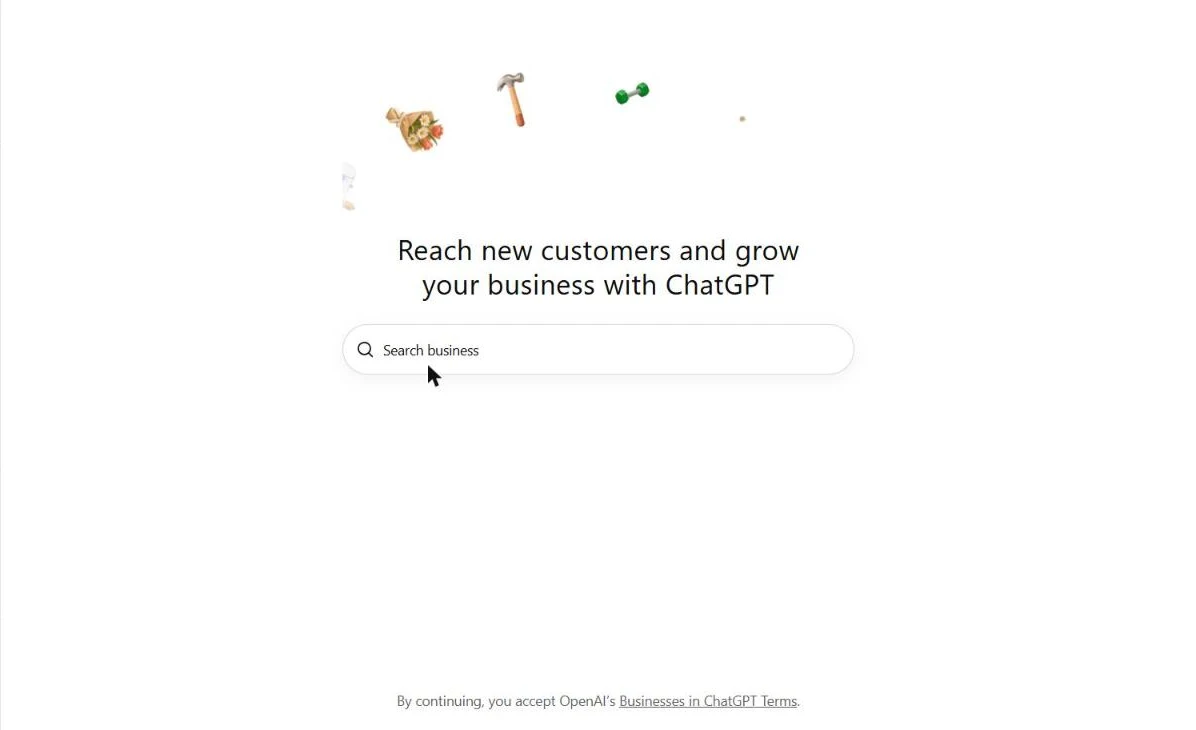
Our own screenshot of the Business Hub landing page, signed in on a Free account.
How do you start verifying a business on ChatGPT?
Type the business name into the search field. Searching “South Asia Digital” returned two unrelated Pakistani businesses with similar names, SIAR Digital and SA Digital Service, but nothing matching ours, alongside a “Create ‘South Asia Digital'” option at the top. If your business already has a presence ChatGPT recognizes, you’d select it directly instead.

No existing listing matched ours, so we used the Create option, our own search result.
Clicking Create opens an intro screen covering what verifying unlocks: tracking how often ChatGPT mentions the business, keeping product and business info current, and letting a business-specific AI agent answer customer questions with information you control.

Does ChatGPT Business Hub support physical business locations outside the US?
Not yet. The flow’s first question, how customers interact with the business, at a physical location or through a website, determines everything that follows.
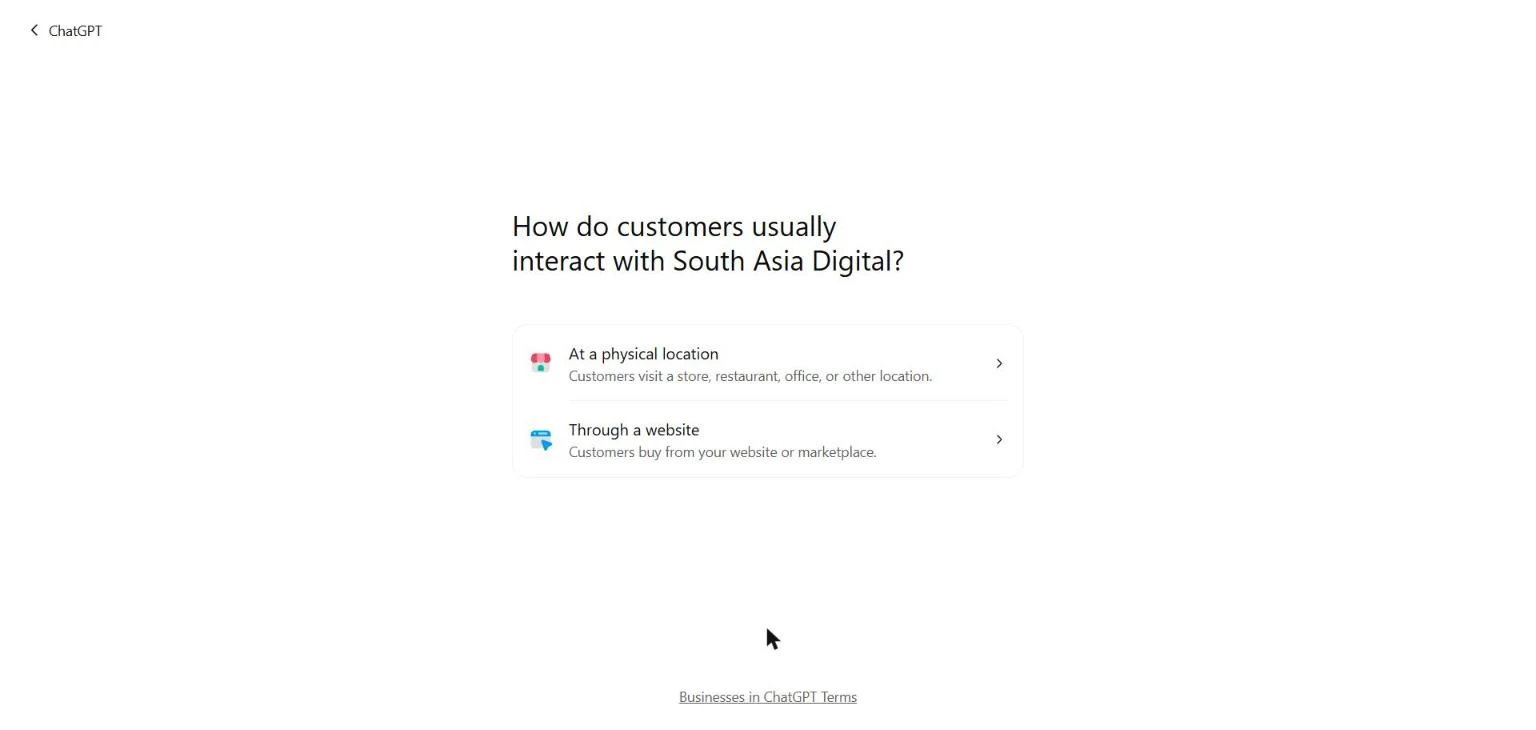
We tested the physical-location path on our own account, geolocated to Pakistan. It skipped verification entirely and dropped straight into a waitlist: “We’re gradually opening access to more businesses. Join the waitlist and we’ll email you when you can continue.” Other walkthroughs report the identical wall from India, and that even Canadian listings land on the same waitlist rather than a live flow. Right now, only accounts geolocated to the United States get an actual verification option for physical listings: an SMS or phone-call code tied to the business’s phone number, or a domain TXT record if the listing already links to a website.
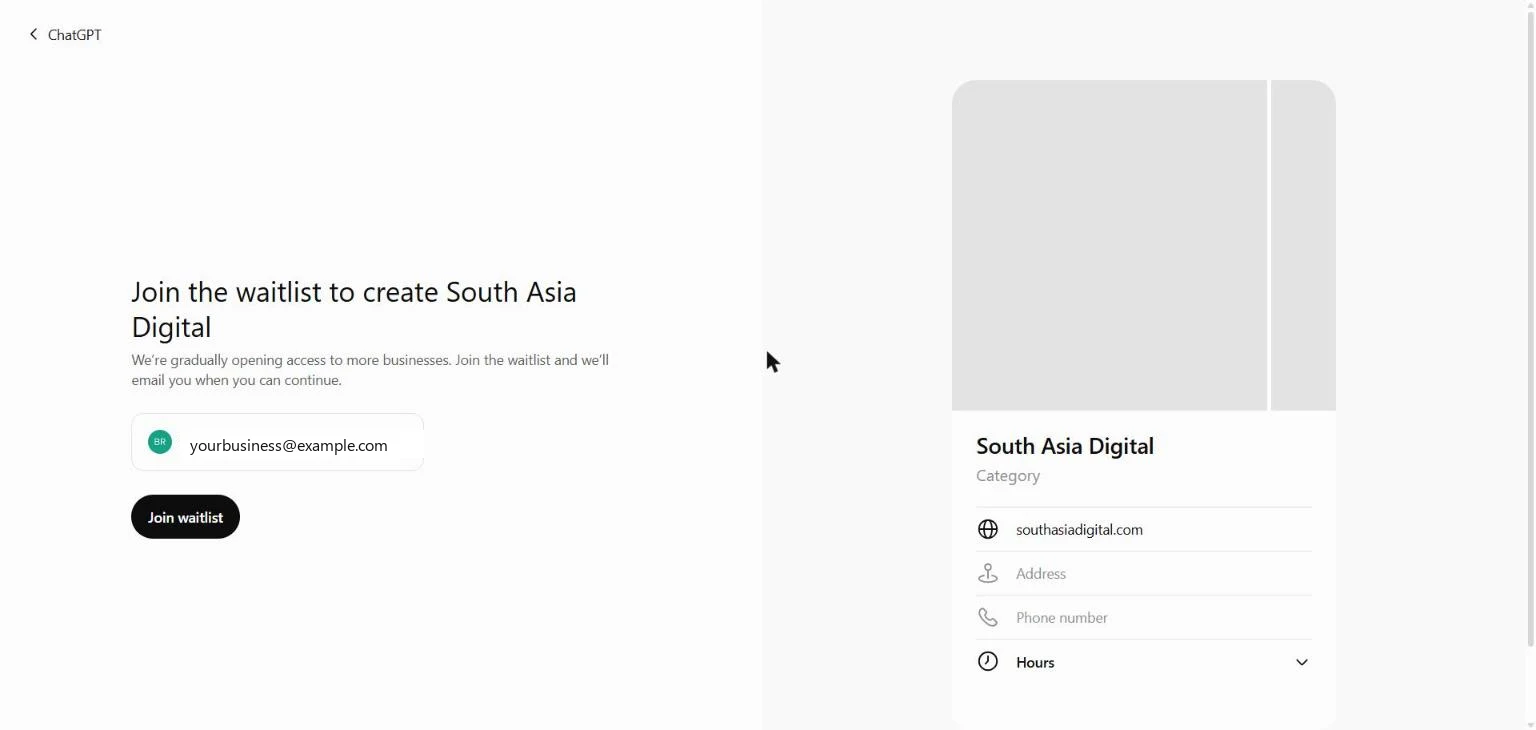
Our own test, run from a Pakistan-geolocated account. The email shown is a placeholder standing in for the account’s own email.
How do you verify a website-only business on ChatGPT?
This path stayed open regardless of account location. Selecting “Through a website” asks for the site’s URL with the protocol included (https://), which behaves like Google Search Console’s URL-prefix property rather than a naked-domain property: southasiadigital.com and https://southasiadigital.com would be verified separately.
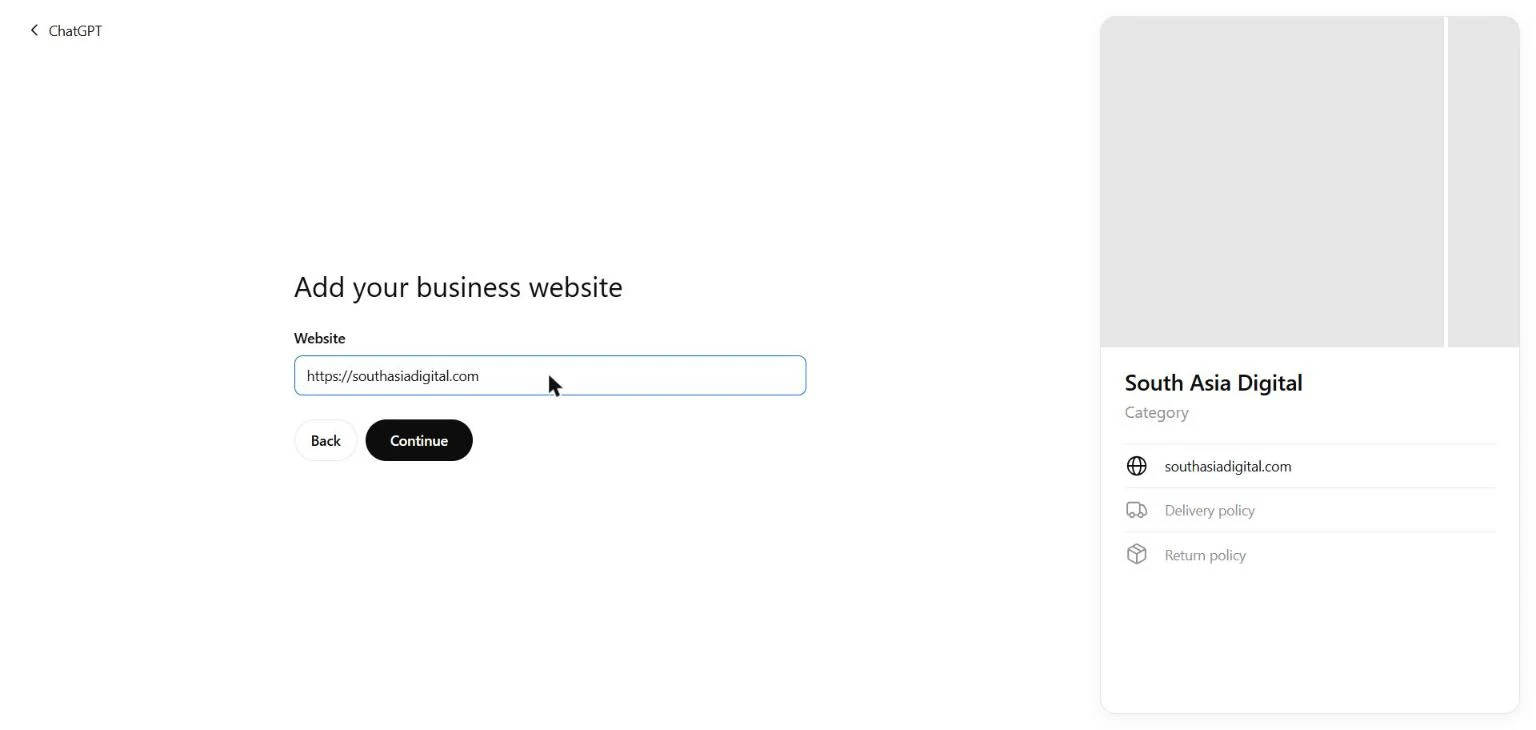
After submitting the URL, Business Hub generates a DNS TXT record: a record type, a host (openai-business-profile.yourdomain.com), and a value unique to that session. You add this through your domain’s DNS zone editor, the same place you’d add an SPF or site-verification record, then click Verify domain.
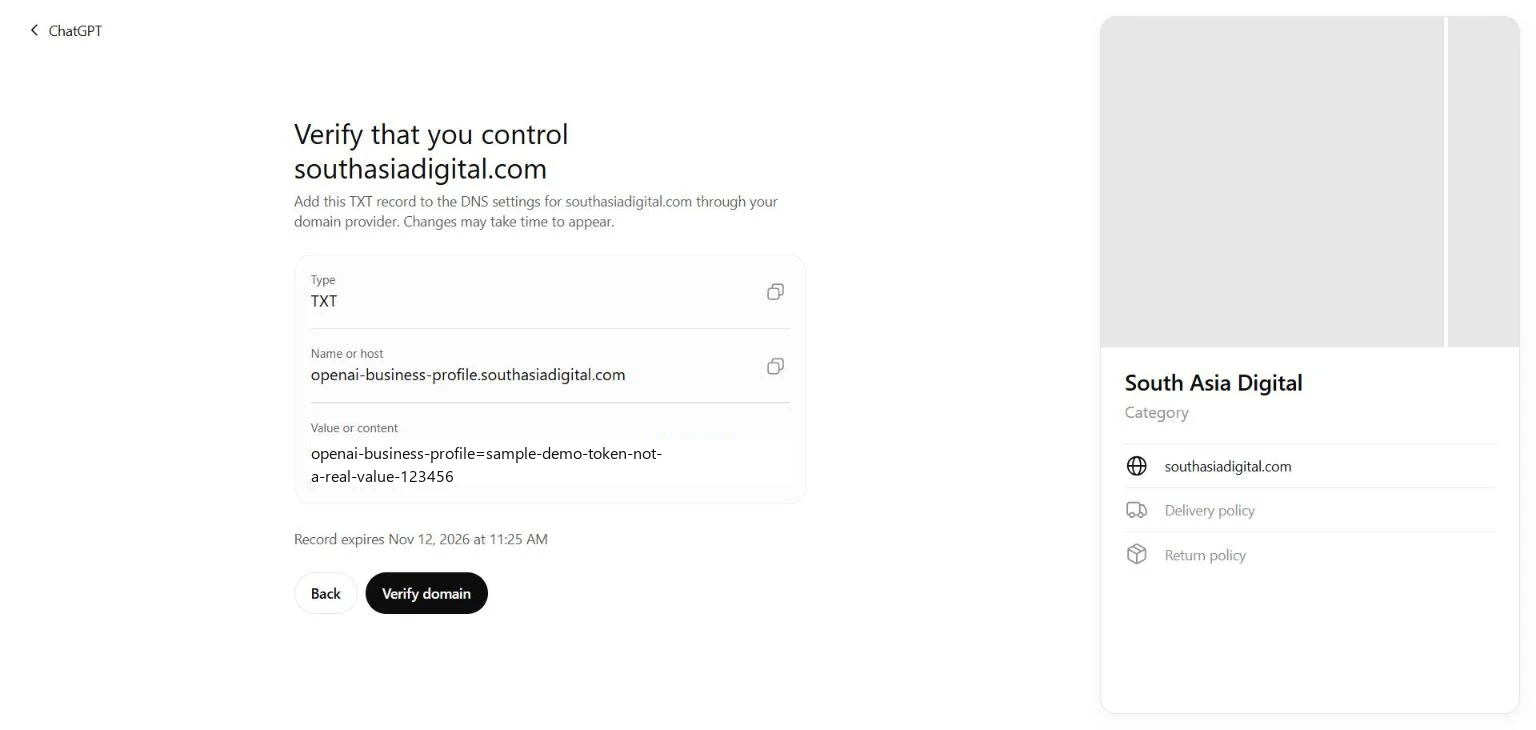
Our own screenshot of the verification screen. The value shown here is a demo placeholder, not the token Business Hub issued us, since publishing a live verification secret would let anyone claim it.
Two details matter here that we confirmed directly. First, the record carries an expiry: ours gave us roughly 30 minutes to add it before it would need to be regenerated, so the DNS change has to go in fast, within that same 30-minute window. Second, nothing about the business saved as a draft when we moved on without completing verification: searching the business name again afterward showed no trace of it. The whole chain, domain verification through the category, description, and contact steps that follow, appears to need finishing in one sitting rather than resumed later.
Clicking Verify domain before the DNS record has propagated returns a clear failure state rather than a vague error, which is worth knowing before assuming something’s broken on your end.
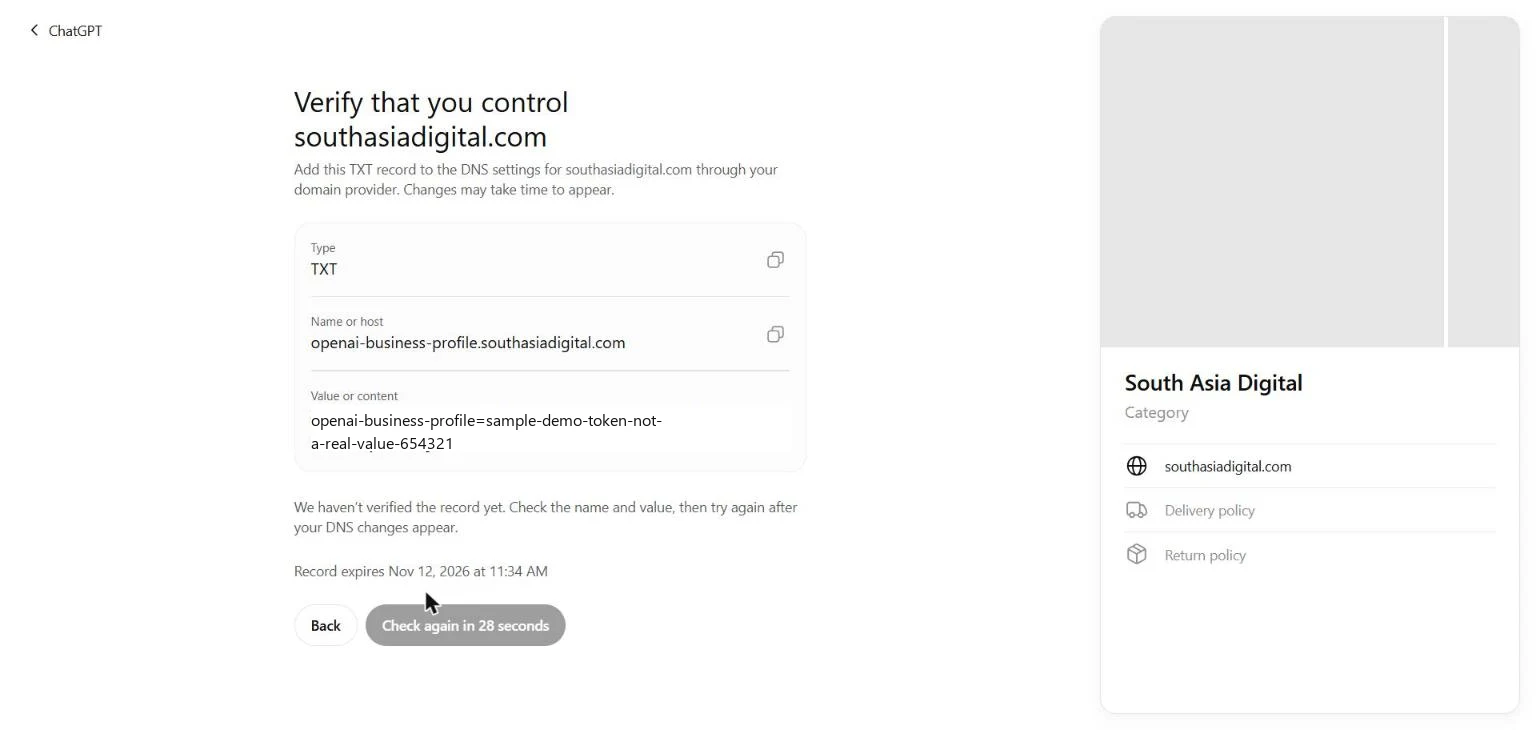
Our own test of the failure state, clicking Verify before the record was live. The token value is again a demo placeholder.
What happens after domain verification succeeds?
We stopped short of this ourselves, since completing it means leaving a live TXT record on southasiadigital.com’s DNS rather than a one-off test. Other walkthroughs that carried a US-geolocated listing all the way through report what comes next: once the domain verifies, the flow asks for a business category and a short description, then verifies a phone number (by SMS or call) and an email address (by a one-time code sent to each), followed by delivery and return-policy questions that currently appear even for service businesses with no physical shipping, a sign the flow is still being built out unevenly across business types.
Completing that sequence creates the listing, but only in draft status, not live on ChatGPT yet. Going live requires a separate identity-verification step: a government ID (passport, driver’s license, or similar, with many countries supported in the dropdown), a liveness check turning your face on camera, and then linking that identity to the business itself. That last link is where the US-only wall shows up again, it asks for an Employer Identification Number and a business address, and the country field for that specific step is locked to the United States with no override.
Should a non-US business still create a draft listing now?
Worth doing once the full sequence can be completed in one sitting, even knowing it can’t go live yet. A listing stuck in draft because of the US-only identity wall is still a reasonable bet on an early-mover advantage: when OpenAI expands verification to more countries, already-completed drafts are reported to go live immediately rather than needing to be rebuilt from scratch. The qualifier is real, though: this is what third-party walkthroughs report, not something we were able to confirm ourselves, since confirming it means finishing the sequence and waiting for a future rollout.
What a non-US business can verify and use today without any wall: the website-ownership step covered above. That alone establishes a documented, OpenAI-recognized link between a domain and a business before competitors get around to it, one more data point feeding into a broader AI search visibility strategy rather than a standalone checkbox.
What does a verified listing unlock?
Per OpenAI’s own framing in the product and corroborated by third-party coverage, a verified Business Hub profile gets Insights: mention counts, profile or website clicks, and the topics customer conversations touched on. The definition of “mention” is narrower than it sounds: other walkthroughs report that ChatGPT counts it as a mention only when a chat surfaces the business’s website link or verified profile, a brand name alone appearing in a response doesn’t count. That distinction matters for anyone tracking AI search visibility as part of a reporting setup: Business Hub’s own mention count isn’t the same metric as a citation audit run against AI Overviews or Perplexity, and the two shouldn’t get collapsed into one number.
OpenAI is also reportedly offering $500 in advertising credit to businesses that complete a listing, a cleaner incentive than Google’s practice of nudging every new Google Business Profile straight into its ads flow.
Common questions about ChatGPT Business Hub
Is ChatGPT Business Hub free to use?
Yes, confirmed directly: we ran the entire flow on a Free-tier ChatGPT account and were never asked to upgrade to Plus or Business. Those are separate, unrelated products, an individual subscription and a paid team workspace, not a requirement for claiming a business listing.
Can a business outside the United States verify on ChatGPT Business Hub?
Partially. Website-ownership verification via a DNS TXT record works regardless of account location, confirmed on a Pakistan-geolocated account. Physical-location listings currently show a waitlist outside the US, and full identity verification to go fully live requires a US Employer Identification Number and a US address, with the country field locked and no override available yet.
What is the TXT record ChatGPT Business Hub asks for?
A DNS text record added through your domain’s zone editor that proves you control the domain, the same mechanism Google Search Console and many other platforms use for domain verification. ChatGPT generates a unique value for each verification session and the record expires roughly 30 minutes after it’s issued, so the DNS change needs to go in before then.
What counts as a mention in ChatGPT Business Hub Insights?
A chat surfacing the verified business’s website link or profile, not simply the brand name appearing in a response. A conversation that says a business’s name without linking to its site or showing its verified profile reportedly doesn’t count toward the mention metric.
Does a draft listing save if you don’t finish verification?
Not based on our own test. Starting the flow and stopping partway, after entering a website URL but before completing domain verification, left no trace when we searched the business name again afterward. The sequence appears to need completing in one sitting rather than resumed later.
Written by Nadir Yaqoob, founder of South Asia Digital. Nadir has a software engineering background and runs the agency’s AI SEO and GEO work for SaaS and Shopify clients directly.